
MobilePay Integration for Wakepark & Waterski Club Booking Software | Wakeque
Wakeque is the first wakepark and waterski club booking system with native MobilePay integration. Let customers pay for sessions in seconds, no card details required.
Published on March 22, 2024 Updated on March 30, 2026
About MobilePay
MobilePay is the leading payment provider in Denmark with more than a 4.4 million customers in 200.000 different stores and webshops. MobilePay is easy, fast and secure – and now also available in Wakeque.
Wakeque is the first and only wakepark booking system in the world that offers integrated payment with MobilePay. This means that your customers can now pay for their wakepark bookings directly through the MobilePay app.
The integration of MobilePay in Wakeque is a major step forward in making our booking system even more user-friendly and convenient for your customers. With MobilePay, they can now pay for their bookings with just a few clicks – without having to enter their credit card details or bank account information.
MobilePay is a safe and secure way to pay, and it is available to everyone with a Danish mobile number. So if you are looking for a convenient and safe way to pay for your wakepark bookings, look no further than Wakeque with MobilePay.
You can find the pricing for MobilePay here.
How to integrate MobilePay through Stripe
Requirements: You need to be either on Free plan or Pro plan
Cost: Normal Stripe fees + 35 DKK per month
- Make sure you have installed Stripe
- Go to your Stripe Payment methods and enable MobilePay
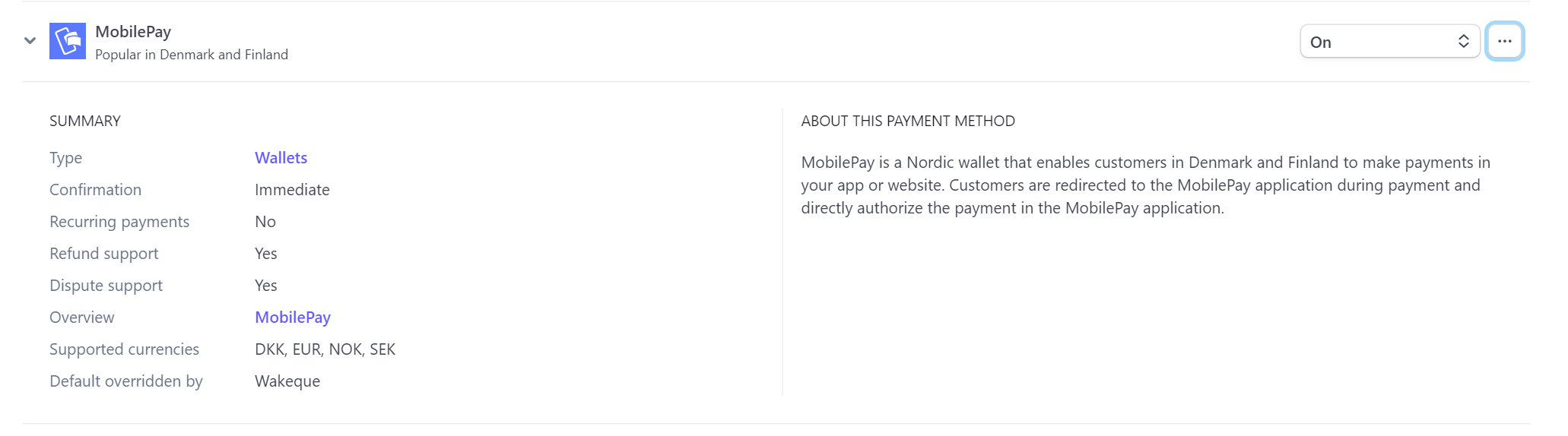
- After you have enabled MobilePay it takes a couple of minutes for the changes to take effect. After that, you can start using MobilePay as a payment method in Wakeque.
- Test the payment method by making a booking in Wakeque and selecting MobilePay as the payment method. This is how it should look like on the checkout page:
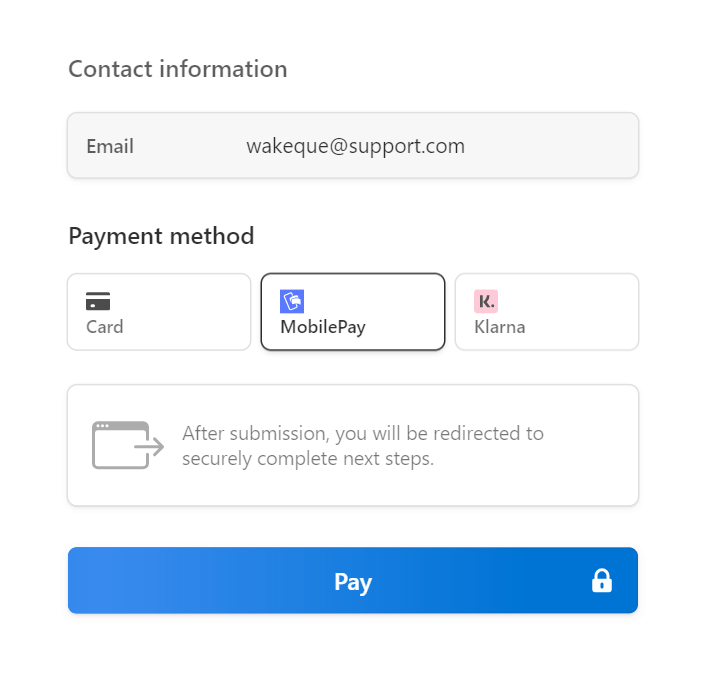
- You customers can now checkout using MobilePay as a payment method 🎉🎉
How to integrate MobilePay directly with Wakeque
Requirements: You need to be Pro plan
Cost: 1,49% + 1 DKK per transaction
To create a MobilePay company account, you will need to provide your cablepark name, contact information, and bank account information. You will also need to create a user name and password. Once you have completed these steps, you will be able to use MobilePay to send and receive payments. Sign up for MobilePay business here.
Preparations before Wakeque activation:
- Ensure you've signed up for MobilePay.
To enable MobilePay as a payment provider in Wakeque you should do the following steps:
- Login to Mobilepay Portal
- Order the Payment Integration product as seen on the right side of the image below 👇
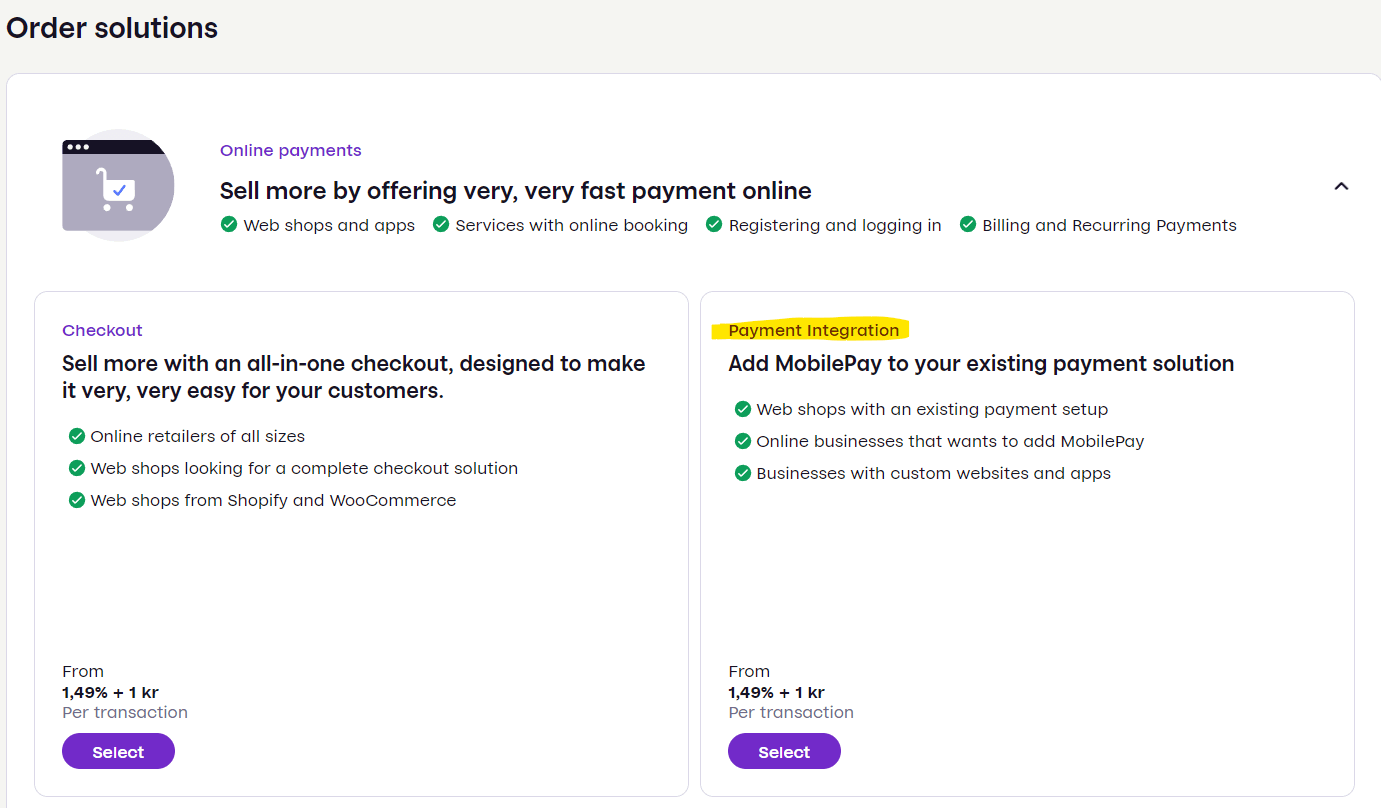
-
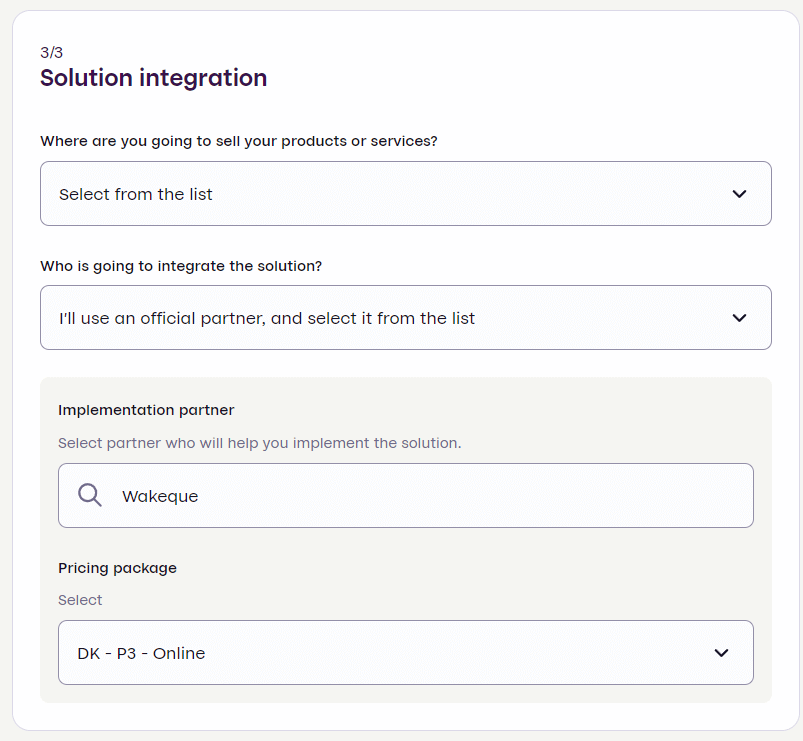
Fill out the form with the required information
On step 3 it is important to select Wakeque as the system you want to integrate with as shown in the image below 👇
- After you have filled out the form and submitted the MobilePay team will approve and activate the integration
- Please also write us an email to ensure we are also notified about this. Write an email to support@wakeque.com
- Now give it some wait 1-2 business days
- Congratulations! You can now offer MobilePay as a payment option in your Wakeque store 🎉🎉